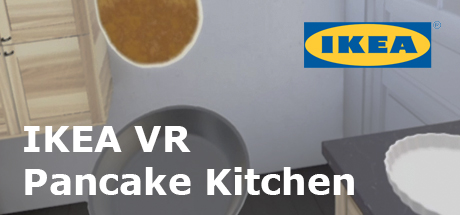
IKEA VR Pancake Kitchen
Released May 2017
Welcome to the IKEA Virtual Reality kitchen experience, where you can make some virtual pancakes. Our IKEA kitchen specialist will guide you through some of the key aspects of a well-planned kitchen. And look out for the instructions that will help you to prepare those perfect pancakes.
72% positive · 370 reviews
Done
All announced content has been released
High confidence
Done
All announced content has been released
High confidence
Where to get it
Free on Steam
Evaluation
IKEA explicitly stated in the store description that this VR experience would be "supported and updated until December 2017." That self-imposed end date has long since passed (it is now June 2026), meaning the developer's own committed support window closed nearly a decade ago. The game launched on May 29, 2017 as a free, self-contained ~15-minute VR experience with no DLC, no post-launch content roadmap, and no indication of ongoing development beyond that December 2017 window. There are no news posts, no DLC listings, and no subsequent developer communications suggesting any content was ever added or planned beyond the original experience. The game launched as a finished promotional product and its support period has conclusively ended.
Evidence
Store description explicitly states: 'You can expect to spend about 15 minutes in this VR experience, which we'll support and update until December 2017.' This defines a fixed, finite support window that has since expired.
The experience is described as a self-contained ~15-minute promotional VR kitchen showcase, with no mention of future content, DLC, expansions, or ongoing development beyond the stated support window.
Media
Details
Developer
Publisher
IKEA Communications AB
Achievements
—
Platform
Windows
Controller
—
Steam Deck
Not rated
Players
Single-player
About this game
You can expect to spend about 15 minutes in this VR experience, which we'll support and update until December 2017.
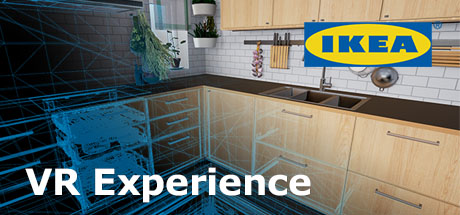
Welcome to the IKEA Virtual Reality kitchen experience, where you can make some virtual pancakes. Before you start, you can choose between bright or dark cabinet fronts.
Our IKEA kitchen specialist will guide you through some of the key apsects of a well-planned kitchen. And look out for the instructions that will help you to prepare those perfect pancakes.
At the end, you can see how the kitchen feels from a child's perspective while you set the table.
Ready for a pancake party? As you master the art of perfect pancakes, why not try to cook pancakes using four pans at the same time?
Press release here:
Feedback
We'd love to hear your ideas on how we might improve this experience. Or what tips would you give on how to plan a kitchen?
Tips for the best experience
The virtual floor should match your physical floor. If not, the room will feel either too small or too big. Please see below for how to calibrate the floor. You should also set the IPD (distance between the centre of your eyes in millimetres) on the headset to your personal values.
How to calibrate the floor height
1. Place one of the hand controllers or the HMD on the floor
2. To auto-calibrate, press the Home button on your keyboard. To manually adjust floor height, use PageUp/PageDown to move floor up or down one centimetre so the HMD/controllers rest on the virtual floor.
Welcome to the IKEA Virtual Reality kitchen experience, where you can make some virtual pancakes. Before you start, you can choose between bright or dark cabinet fronts.
Our IKEA kitchen specialist will guide you through some of the key apsects of a well-planned kitchen. And look out for the instructions that will help you to prepare those perfect pancakes.
At the end, you can see how the kitchen feels from a child's perspective while you set the table.
Ready for a pancake party? As you master the art of perfect pancakes, why not try to cook pancakes using four pans at the same time?
Press release here:
Feedback
We'd love to hear your ideas on how we might improve this experience. Or what tips would you give on how to plan a kitchen?
Tips for the best experience
The virtual floor should match your physical floor. If not, the room will feel either too small or too big. Please see below for how to calibrate the floor. You should also set the IPD (distance between the centre of your eyes in millimetres) on the headset to your personal values.
How to calibrate the floor height
1. Place one of the hand controllers or the HMD on the floor
2. To auto-calibrate, press the Home button on your keyboard. To manually adjust floor height, use PageUp/PageDown to move floor up or down one centimetre so the HMD/controllers rest on the virtual floor.
Are these done yet?











Last evaluated Jun 27, 2026
Something about this evaluation looks wrong Report illegal or harmful content