Lost Friends Adventure
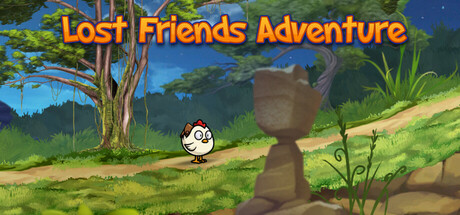
This is a platformer game with multiple controllable characters that can be played by one or more players in split screen mode and you will need these characters to solve many puzzles and defeat some enemies in this game to progress through the levels and move around the map.
Where to get it
Free on Steam
Media
Details
About this game
This is a platformer game with multiple controllable characters. That can be played single or multiplayer mode (in split screen) You will need these characters to solve many puzzles and defeat some enemies in this game to progress through the levels and move around the map.
Features:
- 12 playable levels
- 4 customizable characters
- Skins: hats, helmets, glasses, etc.
- level map
- speedrun mode: unlocks after completing a level.
- Ultra Wide Screen support
- Split Screen mode
(Some levels, characters and skins have to be unlocked first by gameplay. You can collect gems on levels to buy skins.)
Story: Little animals searching for they lost friends in the forest, and solving various and mysterious puzzle like situations cooperating with each other to go forward, and gather the team, while many of little and less-little enemies and traps blocking they way.
Controls:
You can use single or local multiplayer mode.
(You can change between modes with TAB or the splitted button on the screen)
For single player: ASDW buttons can be used. AD for move W for jump and S for skills.
For second player you can use the arrow keys. Left Right for move. Up for jump and down for skills. (If you press the arrow keys, the game automatically switch to local multiplayer mode)
Alternatively you can use SPACE for jump or numpad INS for player2.
Pressing the jump button longer makes you jump higher.
You can use Ctrl buttons to switch between characters.
Shift buttons can be used to make the nearest character follow you.
Unofficially: You can also use game controllers and the icons will help you. You can also check the SteamInput menu to configure or understand more the game controllers.