Minimalist Desktop
Turn your Windows desktop into a workspace you want to use. Arrange apps as 2D icons or 3D cubes, keep tasks and Pomodoro timers in view, and make it yours with widgets, animated wallpapers and color palettes. Less clutter, more room to focus.
Where to buy
Media
Details
About this game
Less desktop clutter. More room to focus.
Make your Windows desktop a place to start your day. Minimalist Desktop combines a customizable app launcher, useful widgets and wallpapers in one workspace. Keep the apps you use close, your next task visible and your desktop arranged your way.
Your apps, arranged your way
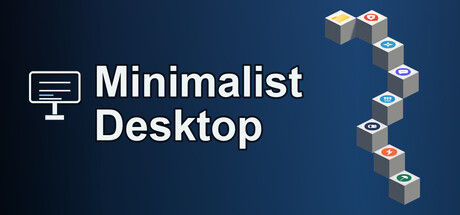
Drag apps and shortcuts into your workspace. Choose clean 2D icons or distinctive 3D cubes, then arrange and style them to fit your setup. Hide the native Windows desktop icons when you want a cleaner view, and show them again when you need them.
Keep your next task in sight
- Plan your day: Keep tasks, sticky notes and a calendar on your desktop.
- Make time to focus: Use the Pomodoro timer for work sessions and breaks.
- See what matters: Add clocks, weather, progress widgets and system status panels.
Build a desktop that feels like yours
Go minimal with monochrome palettes, or set the mood with your own image, GIF or MP4 wallpaper. Combine widgets, colors and app layouts to create a space for studying, creative work or everyday use.
Turn repeat routines into Smart Icons
For power users, Smart Icons put your own Windows CMD command sequences behind a desktop icon. Double-click to run a routine and follow its output in the built-in terminal panel. Keep frequently used commands close to the rest of your workspace.
Take a pause from endless scrolling
Set time limits for supported distracting sites and use the doom-scroll focus prompts to notice when a quick visit becomes a long session. When a prompt appears, choose to leave or add a little more time. You stay in control.
Fits around Windows
Minimalist Desktop is a desktop application for Windows 10 and 11. It adds a customizable workspace while keeping your regular Windows desktop available. Focus prompts are reminders you can act on, rather than a locked parental-control system.