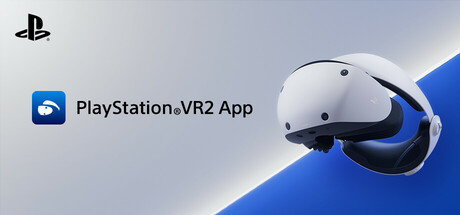
PlayStation®VR2 App
Released Aug 2024
Enjoy VR games and apps on Steam with PlayStation VR2! Install PS VR2 App to use PS VR2 on your PC, set up your PS VR devices, and keep the firmware for PS VR2 headset and PS VR2 Sense controllers up to date.
57% positive · 1,654 reviews
Done
All announced content has been released
High confidence
Done
All announced content has been released
High confidence
Where to get it
Free on Steam
Evaluation
PlayStation VR2 App is a free utility application published by Sony Interactive Entertainment that enables PlayStation VR2 hardware to function with SteamVR on PC. It launched on August 6, 2024 and has received a series of maintenance updates since then — version 2.0.0 on September 13, 2024, version 2.5.0 on December 5, 2024, version 3.0.0 on March 12, 2025, and version 3.2.0 on September 18, 2025. All of these updates have been firmware compatibility fixes, stability improvements, and minor usability enhancements rather than new content or features in the traditional sense. The most recent update was on September 18, 2025.
This is a hardware companion utility, not a content-driven game. It launched as a complete functional product designed to enable PS VR2 hardware on PC. There are no DLC, expansions, or content roadmaps associated with it, and the developer has made no announcements of planned new features or content. The ongoing updates reflect normal software maintenance for a hardware driver/companion app rather than a content development cycle. The app is available for free and requires no purchase beyond the PS VR2 hardware itself.
Evidence
App described as a utility for setting up and using PlayStation VR2 on PC — firmware updates, settings management, and hardware compatibility. No content or DLC is associated with it.
Version 3.2.0 released with performance and stability improvements. Most recent developer communication.
Media
Details
Developer
Publisher
PlayStation Publishing
Achievements
—
Platform
Windows
Controller
—
Steam Deck
Not rated
About this game
Enjoy VR games and apps on Steam with PlayStation VR2!
You'll need the following to get started with PlayStation VR2 App:
For details about the required specs for PC, visit the PlayStation VR2 support page, or refer to the "System Requirements" section below.
When connecting PlayStation VR2 Sense controllers to a PC, connection or tracking problems may occur depending on the condition of the Bluetooth devices being used or the surrounding environment. In such cases, refer to the PlayStation Support page titled "Bluetooth adapters compatible with PS VR2 on PC" for more information.
To play VR games and apps on Steam with PlayStation VR2, PlayStation VR2 App needs to be installed on your PC. Keep the app installed even after initial setup is complete.
- Play VR games and apps on Steam using your PlayStation VR2 VR headset and PlayStation VR2 Sense controllers.
- Set up your PlayStation VR2 on your PC.
- Update the firmware for your PlayStation VR2 VR headset and PlayStation VR2 Sense controllers.
- Adjust settings for your PlayStation VR2 from the SteamVR dashboard, including setting your play area and screen brightness.
You'll need the following to get started with PlayStation VR2 App:
- PlayStation VR2 VR headset
- PlayStation VR2 Sense controllers
- PlayStation VR2 PC adapter
- DisplayPort™1.4 cable (sold separately)
- Bluetooth® adapter (sold separately, required only if your PC doesn't support Bluetooth®)
For details about the required specs for PC, visit the PlayStation VR2 support page, or refer to the "System Requirements" section below.
Using this app
When connecting PlayStation VR2 Sense controllers to a PC, connection or tracking problems may occur depending on the condition of the Bluetooth devices being used or the surrounding environment. In such cases, refer to the PlayStation Support page titled "Bluetooth adapters compatible with PS VR2 on PC" for more information.
To play VR games and apps on Steam with PlayStation VR2, PlayStation VR2 App needs to be installed on your PC. Keep the app installed even after initial setup is complete.
Are these done yet?










Last evaluated Jul 4, 2026
Something about this evaluation looks wrong Report illegal or harmful content