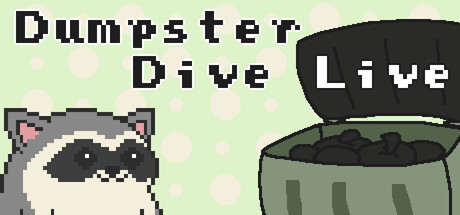
Dumpster Dive Live
An interactive and cozy raccoon fueled trash digging game for your Twitch viewers. Viewers can dig through your garbage with commands, subs, gift subs, and bit donations. Ideal for keeping chat engaged during content that requires extra attention, or while on long breaks.
Where to buy
Media
Details
About this game
An interactive and cozy raccoon fueled trash digging game for your Twitch viewers.
It can be added as either a transparent or chroma keyed overlay for your stream. Viewers can dig through your garbage with commands, subs, gift subs, and bit donations.
Features
Let your chatters dig for trash.
Add and manage your own custom items.
View the leaderboard of your top raccoons.
Look at the Dumpydex to see all of the trash your raccoons have found.
Pause the dig queue and resume it on your next session.
Customize settings, including rewards, commands, and output messages.
Item shop, featuring items such as a rarity booster and grenades, for your raccoons to spend their gold.
Perfect For
Keeping your chat engaged during breaks or collabs.
Raffles (for example, channel VIP) using custom items.
Seeing who can find the best trash.
IMPORTANT
This game is intended solely for Twitch streamers. It will not work with YouTube (yet), TikTok, etc.
If you do not stream on Twitch you will not be able to enjoy the features of this game.
※ Certain features such as custom items, the leaderboard panel, stats command, and item shop are not available in the demo version! ※
Try out the demo before buying! All settings and progress will carry over to the full game if you decide it's right for you.
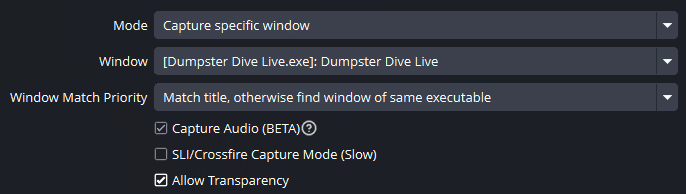
Transparency Mode with OBS
If you see a black background when using transparency mode, please check that the "Allow Transparency" setting in OBS is enabled. You can find it by right-clicking the game capture source and choosing Properties.