Pending
Released · Awaiting evaluation
Where to buy
Steam $5.99
Can't confirm — worth a look
We couldn't confirm these stores carry this game.
Green Man Gaming Steam key Search IndieGala Steam key Search Prices in USD, as listed by each store.
Buying through an affiliate store helps support the site
Media
Details
Developer
Publisher
Whateverzone
Achievements
19
Platform
Windows
Controller
partial support
Steam Deck
Not rated
Players
Single-player
About this game
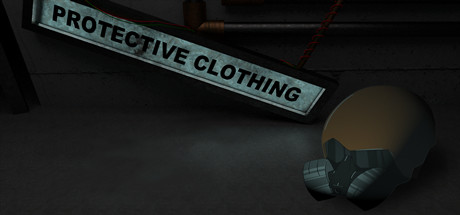
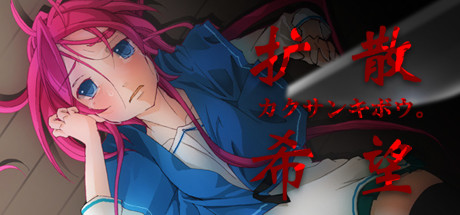
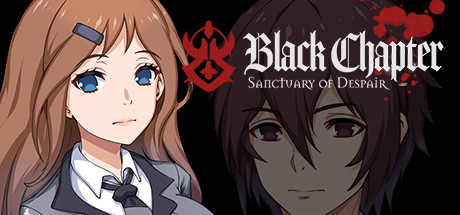
“Mass abduction; victims confined within a secluded factory,” the culprit’s true identity lies hidden under a hazmat suit. What is the motive behind this atrocity? Can all the victims escape in one piece?
- 5 Endings in total.
- About 1 hour of playtime per chapter.
- 19 unlockable Steam Achievements.
- Voice clips.
- There are contents of blood, depression, suicide and death-related scenes.
- There is a chance that the game will not be installed properly, leaving only an empty folder. One of our translators who encountered this issue concluded that it was caused by the anti-virus (Avast) blocking the EXE file. Said translator solved this issue by setting the folder as an exception in Avast. The other solution would be to turn off such anti-virus program before installing.
- You can only save your game once per chapter at some of the chairs, and at the end of each chapter.
- Press F4 to minimize/maximize the screen.
- Press F5 to immediately restart the game (as in going back to the title screen.)
- Change the language at Options > Language
- Y Button for Z in-game button.
- X Button for X in-game button.
- When playing with a controller, the mouse cursor will still be on the screen. It is recommended to move it out of the screen to avoid distraction.
This game is about 700 MB.
Features
- Over 50 CGs.- 5 Endings in total.
- About 1 hour of playtime per chapter.
- 19 unlockable Steam Achievements.
- Voice clips.
Warnings
- This game contains a scene with consecutive blinking images and/or lights.- There are contents of blood, depression, suicide and death-related scenes.
- There is a chance that the game will not be installed properly, leaving only an empty folder. One of our translators who encountered this issue concluded that it was caused by the anti-virus (Avast) blocking the EXE file. Said translator solved this issue by setting the folder as an exception in Avast. The other solution would be to turn off such anti-virus program before installing.
Gameplay Notes
- Hold Z to speed up the game (Caution: this can cause you to skip the saving screen.)- You can only save your game once per chapter at some of the chairs, and at the end of each chapter.
- Press F4 to minimize/maximize the screen.
- Press F5 to immediately restart the game (as in going back to the title screen.)
- Change the language at Options > Language
Partial Controller Support Notes
- Left Stick for Arrow Keys.- Y Button for Z in-game button.
- X Button for X in-game button.
- When playing with a controller, the mouse cursor will still be on the screen. It is recommended to move it out of the screen to avoid distraction.
This game is about 700 MB.
Are these done yet?




No evaluation yet
Ask us to evaluate this game's completeness Report illegal or harmful content