Targets
Explore the map. Shoot the Targets.
Where to buy
Media
Details
About this game
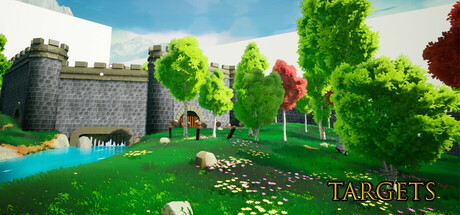
Targets is an adventure shooter that takes place in an idyllic world. Test your marksman skills as you explore and discover the targets' malevolent plans.
The first world will let you play at your own pace and style as your skills improve. But things will only get harder as you journey through mystic portals.
Embark on a mission to free other worlds from the clutches of the targets' false promises and malevolent designs. The battle against the invaders has only just begun.
Pursue the enigmatic targets across vast realms, as the mysteries of the portal unfold before your eyes. Will you succumb to the allure of immortality, or find solace in cherishing the ephemeral beauty that graces your path?
Features
open world puzzles,
multiple ways to solve the same situation,
Unreal Engine stylized graphics
no intro screens, no 10 minutes of splash screens before the game starts
mouse+keyboard supported. controller supported
Update 1.3
The game now supports 2 Players Split-Screen.
*2 controllers Required.
Player now has health regen.
Ammo limits introduced.
Level1: 40 coins to be found. Sprint hability now unlocks at 25 coins (reduced from 30 coins).
Controls:
Keyboard + Mouse / Usb Controller
Options shortcuts: Keyboard "H"
Add Player2: Keyboard "P" / Gamepad special left (back)
Change mouse sensitivity: use numbers numbers 1 (lower) to 4 (higher) any time in-game
Enable/Disable Vsync: Keyboard "V" - use this if if notice excessive screen tearing during gameplay
Enable/Disable Motion Blur: Keyboard "B"