Virtual Circuit Board

Virtual Circuit Board

Released Oct 2023

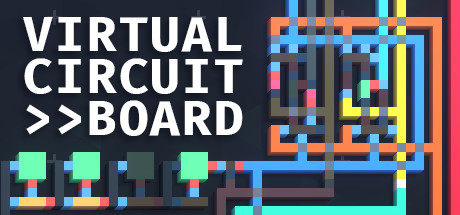
Virtual Circuit Board is the sandbox drawing-based logic simulator where you can build, program, decorate, and simulate anything from simple monochrome circuits to complex and colorful computers. Play with digital logic in this sandbox-only experience.

91% positive · 322 reviews
Done
All announced content has been released
High confidence
Done
All announced content has been released
High confidence

Where to buy

Steam $14.99
Can't confirm — worth a look
We couldn't confirm these stores carry this game.
Green Man Gaming Steam key Search IndieGala Steam key Search
Prices in USD, as listed by each store.
Buying through an affiliate store helps support the site

Evaluation

Virtual Circuit Board launched in Early Access on May 20, 2022 and graduated to version 1.0 on October 6, 2023. When the developer announced the 1.0 release on September 16, 2023, they were explicit about its implications for the game's future: "Starting from the 1.0 release, I'll be maintaining VCB with only minor QoL improvements and bug fixes." This is a clear, direct statement that no further major content development is planned — the game shipped as a complete product at 1.0. The post-1.0 activity confirms this pattern. The only update after launch was a minor bug fix and quality-of-life patch (Update 1.0.1) on January 23, 2024, which aligns exactly with what the developer promised. There are no unreleased DLC entries, no roadmap for future content, and no announcements of expansions or major updates. The most recent news post from May 28, 2026 is not a VCB content announcement — it is the developer promoting their new separate game, Mnemonimov, which launched in Early Access. The post mentions a bundle discount with VCB but makes no reference to any future VCB content. This is consistent with a developer who has moved on to a new project, exactly as they stated they intended to do at the time of VCB's 1.0 release. The completion date is set to January 23, 2024, when the final maintenance patch (1.0.1) shipped, representing the last developer action on the game's content.
Evidence
Version 1.0 released, marking the end of VCB's Early Access period. Update included the Blueprint Library feature that the developer described as completing the set of features essential for a fulfilling experience.
news post · Oct 6, 2023 source content shipped
high
Developer explicitly stated that starting from the 1.0 release, VCB will receive only minor QoL improvements and bug fixes, signaling the end of major content development. They also described their intent to begin moving on to their next project.
news post · Sep 16, 2023 source development ending
high

Media

Details

Publisher
Reverie Foundry
Achievements
—
Platform
Windows, Linux
Controller
—
Steam Deck
Playable
Players
Single-player

About this game

Virtual Circuit Board, or VCB, is a sandbox-only drawing-based logic simulator featuring an assembler and a powerful simulation engine. All of it designed to give you the freedom to build and experiment with logic circuits to your heart’s content.

Set your own goals

In VCB you will set your own goals of what and how you want to build, it does not come with tutorials, levels, or challenges, and it will not teach you digital logic or assembly. VCB's development philosophy is aimed toward delivering a fresh sandbox experience for players who already have some basic knowledge about logic gates and circuits.

Powerful Simulation

High-performance tick-based simulation, where signals propagate between components one tick at a time. Simulate with a frequency of up to millions of updates per second.

Assembly

Assembly editor in which you can define your own instructions, allowing you to create a program that will be assembled into a Virtual Memory accessible by your circuits.

Editing and Simulating

Working in VCB is separated in two modes, while editing you can use the drawing tools to modify your circuit and the assembly editor to write programs, and during simulation you can see your circuit running, interact with it, and watch the assembly instructions being executed.

Drawing-based Interface

Build circuits by drawing color-coded entities like logic gates and traces, and use the specialized tools such as the Array to optimize your workflow by drawing multiple traces simultaneously. Both the electronic components and the traces support multiple input and output connections.

Decoration

Customize the appearance of circuits by drawing in the decoration layers that override the component's default colors. This allows you to create things such as buttons and labels that change appearance depending on the component's state.


Last evaluated Jun 22, 2026
Something about this evaluation looks wrong Report illegal or harmful content